How Svelio
digests the data.
A walking tour of every screen, every interaction, every Pro feature. Built for the people who flip the box over and read the back.
By the Svelio editorial team
Updated as we ship · 2026-05-16
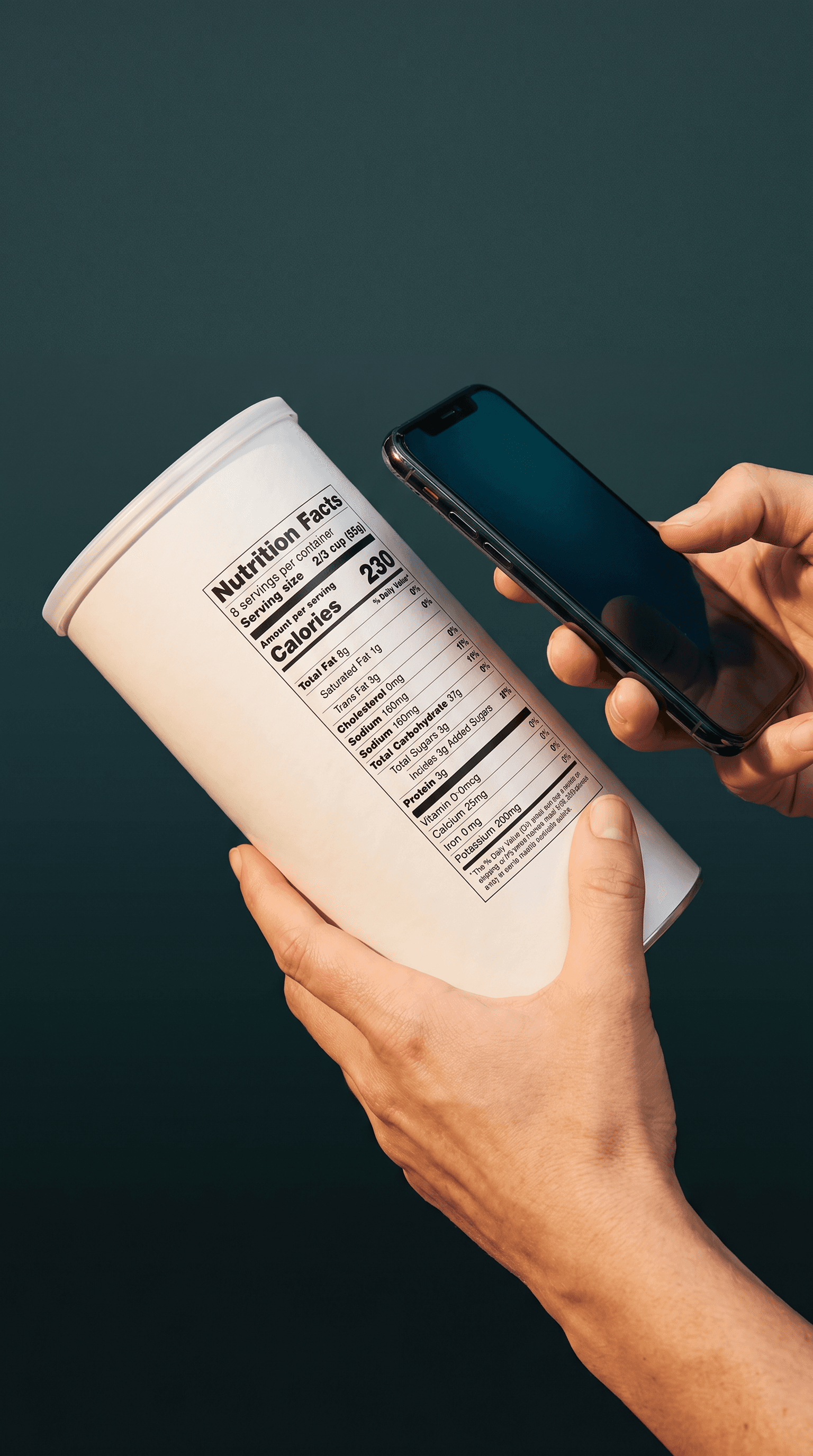
Fig. 01 — Scan a label
Scan a label.
Pick up the box. Read the front. Now flip it over.
Tap the green Scan FAB on your dashboard. Snap the Nutrition Facts panel, scan the barcode, paste a product URL, or speak what you ate. Within seconds Svelio extracts every nutrient — calories, sodium, protein, sugars, saturated fat — and grades each one against FDA Daily Values.
The output isn't a black-box health score. It's structured truth: a per-nutrient breakdown, the matched ingredient list, flagged additives with risk tiers, and a Marketing-vs-Reality section that names every claim the ingredients don't back up.
“No 1-to-100 score. We show you the math.”
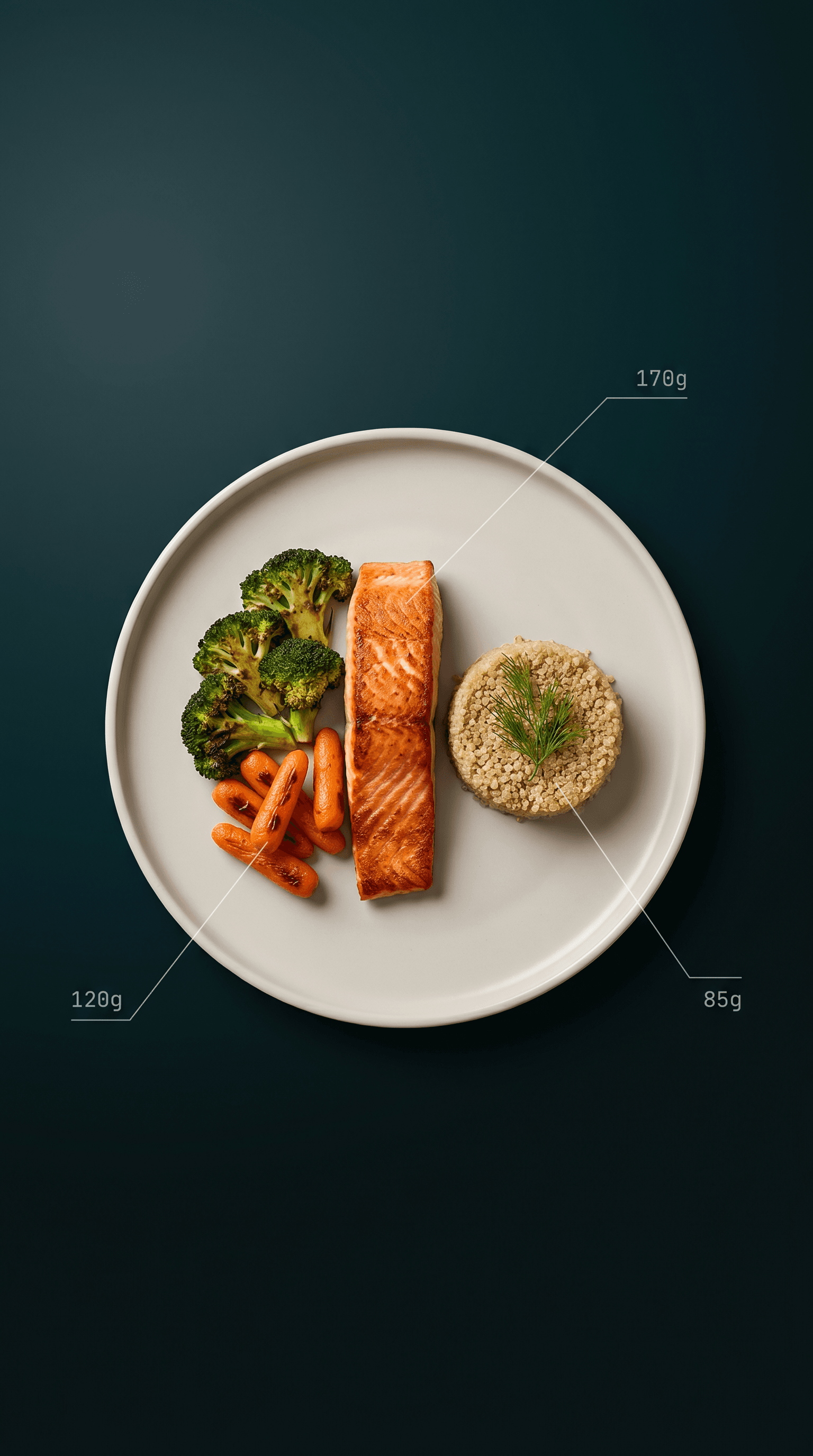
Fig. 02 — Take a photo of your plate
Take a photo of your plate.
When the meal didn't come with a box. When there is no label to flip over.
Some meals don't come with a label. Restaurant plates, home-cooked dinners, the lunch a friend brought over. Tap the green Scan FAB and pick AI Food Photo. Svelio's vision model identifies each item, estimates the gram weight using scale references — the plate, your hand, a fork — and matches every food to USDA's Foundation database for per-100g nutrient values that get scaled to the portion it actually saw.
You stay in control of the amount. Because the photo is the food in front of you, the question is simply how much you plan to eat — a few bites, half, or the full plate — and every nutrient scales to your choice before it counts toward your day. Logged it, then ate less? Reopen the meal and dial the portion down; the numbers follow.
“We name the foods. We estimate the grams. USDA does the macros.”
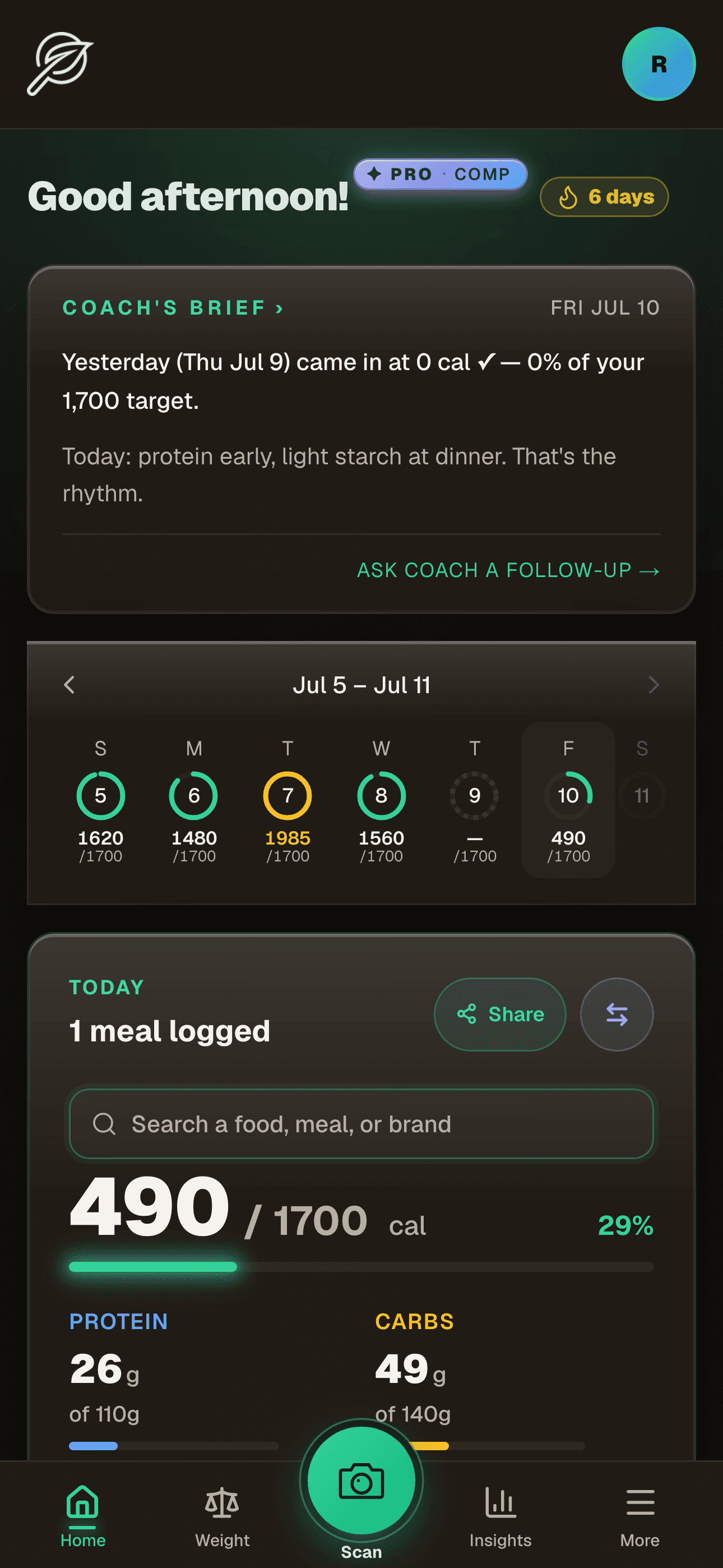
Fig. 03 — Your day at a glance
Your day at a glance.
Open the app. See where today stands.
The dashboard is the only screen you'll see most days. Coach's Brief sits up top — a plain-language read on where yesterday landed and what to do next. The hydration card tracks ounces logged. The Today macros card reflects every meal against your plan.
It's stocked with two-tap actions: scan, ask Coach, log water, or search a food right on the Today card — type a name or brand, get the real label nutrition, and log it in one tap, no photo needed. No menus to dig through. The Quick Log pins keep your most-logged foods one tap away.
A seven-day strip lays the week out as a row of rings — one per day, each filled against your goal. Green is on track, gold is over, a dashed outline is a day still empty. It's the bridge from today to the week, and the way back to any day you missed.
“One screen — the whole day.”
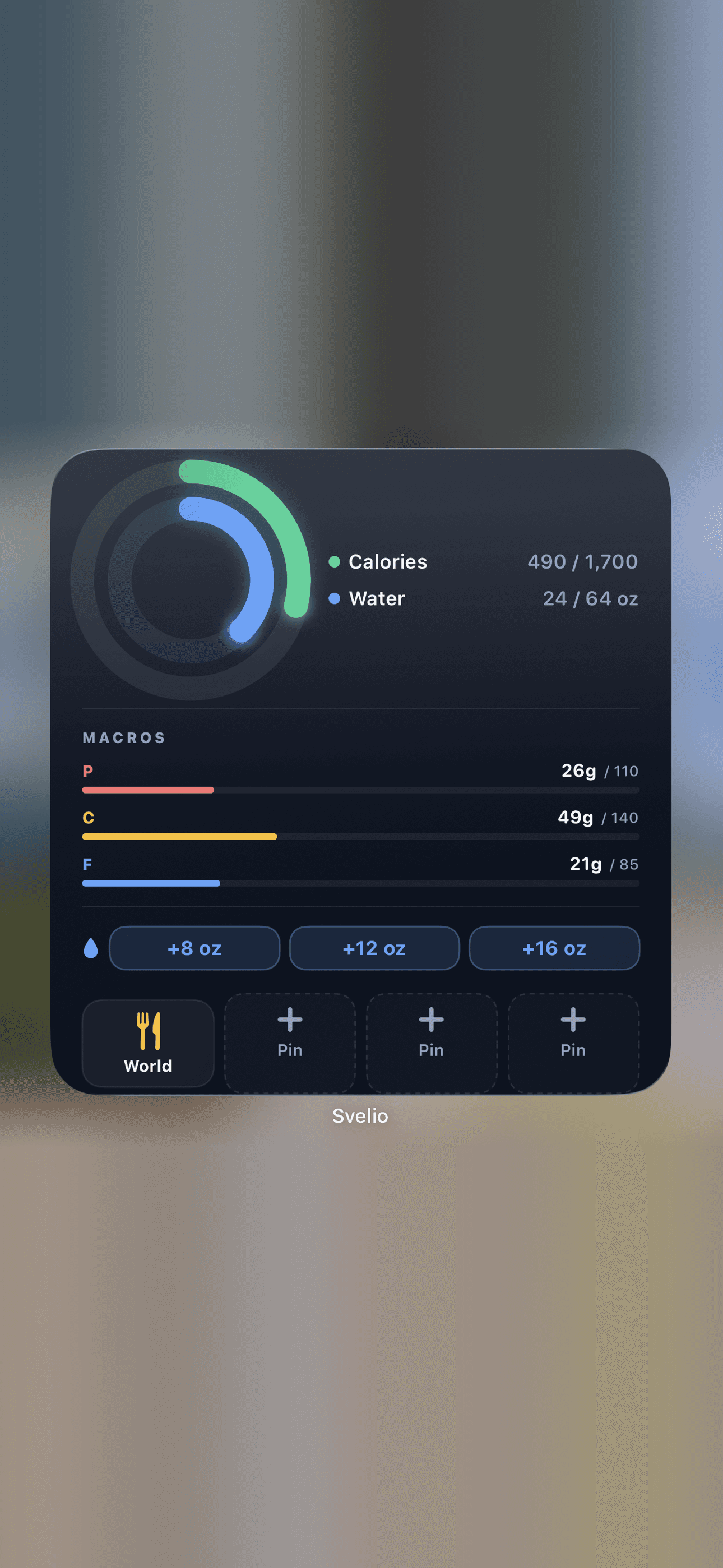
Fig. 04 — On your home screen
Shown mid-day — the gold fasting ring joins the calories and water rings while you're fasting.
On your home screen.
Rings, macros, and pins — no app open.
Pin the Svelio widget to your iPhone home screen and the day reads at a glance: a green ring for calories against target and a blue ring for water, joined by a gold fasting ring whenever you're mid-fast — with protein, carbs, and fat as bars beneath. It refreshes every fifteen minutes, and on demand whenever you log inside the app.
Below the rings sit one-tap water buttons and four pin tiles for your most-logged foods. Tap a pin and the widget logs it instantly via Apple's App Intent — no app open, no animation, just the count updating in place. The widget's auth token refreshes every dashboard load, so taps keep working as long as you visit the app regularly.
“Tap the tile. The number updates. The app never opens.”
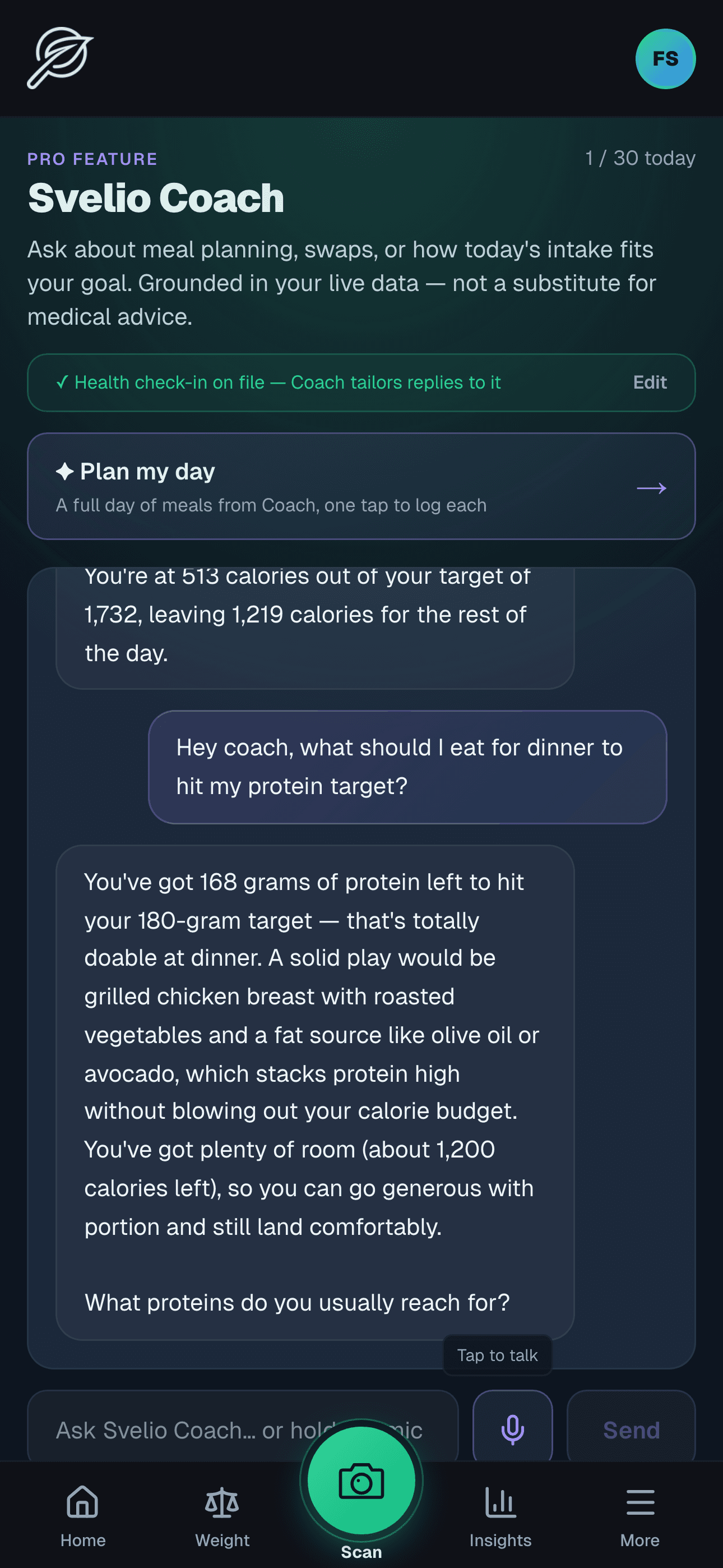
Fig. 05 — Coach grounded in YOUR data
Coach grounded in YOUR data.
Not a chatbot parroting generic advice.
Svelio Coach reads your health check-in — conditions, allergens, dietary preferences, life stage, age — your saved meals, your food library, your daily intake, your fasting state, and your targets. Then it answers based on THAT context.
Ask "what should I eat for dinner to hit my protein target?" and Coach answers with the specific gap, the specific food, and the specific calorie budget remaining. Press-and-hold a saved meal for a quick read. Tap "Generate analysis" on Insights for a full diagnostic. Pick a Coach name, a voice, and a tone in Settings — supportive, direct, encouraging, gentle, or drill-sergeant — and Coach takes that lens into every reply.
“Pro feature · 30 turns a day.”
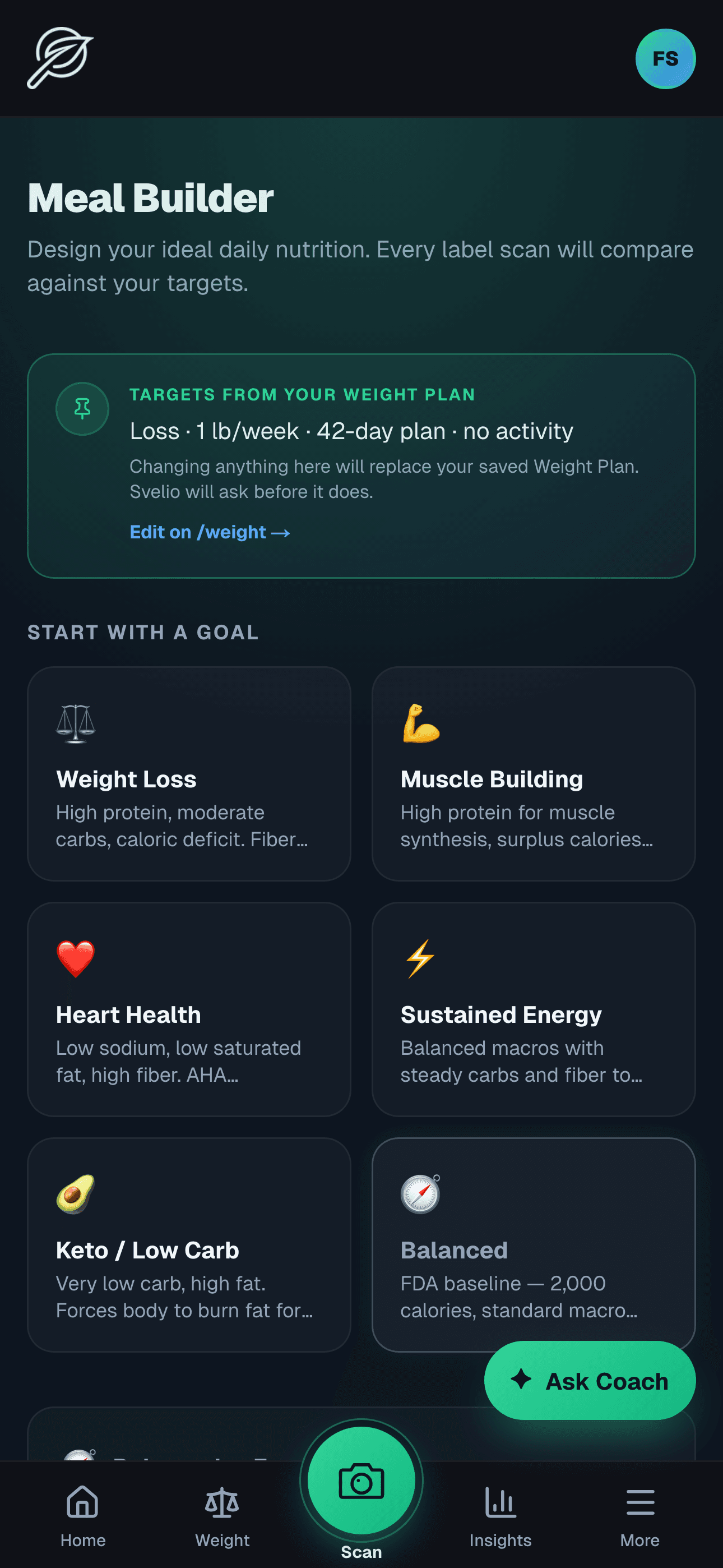
Fig. 06 — Build the day
Build the day.
Pick a goal. Build meals against it.
Six goals, one per card: Weight Loss, Muscle Building, Heart Health, Sustained Energy, Keto/Low Carb, Balanced. Pick the one that fits this season of your life. The targets row at the top reflects what your Weight Plan dictates.
Build meals from your scanned foods. Move a slider, and Coach suggests a 2–3 item combo from your library that lands near the new target. One tap saves it as a reusable template. Change anything, and Svelio asks before overwriting your plan.
“When you change anything, Svelio asks first.”
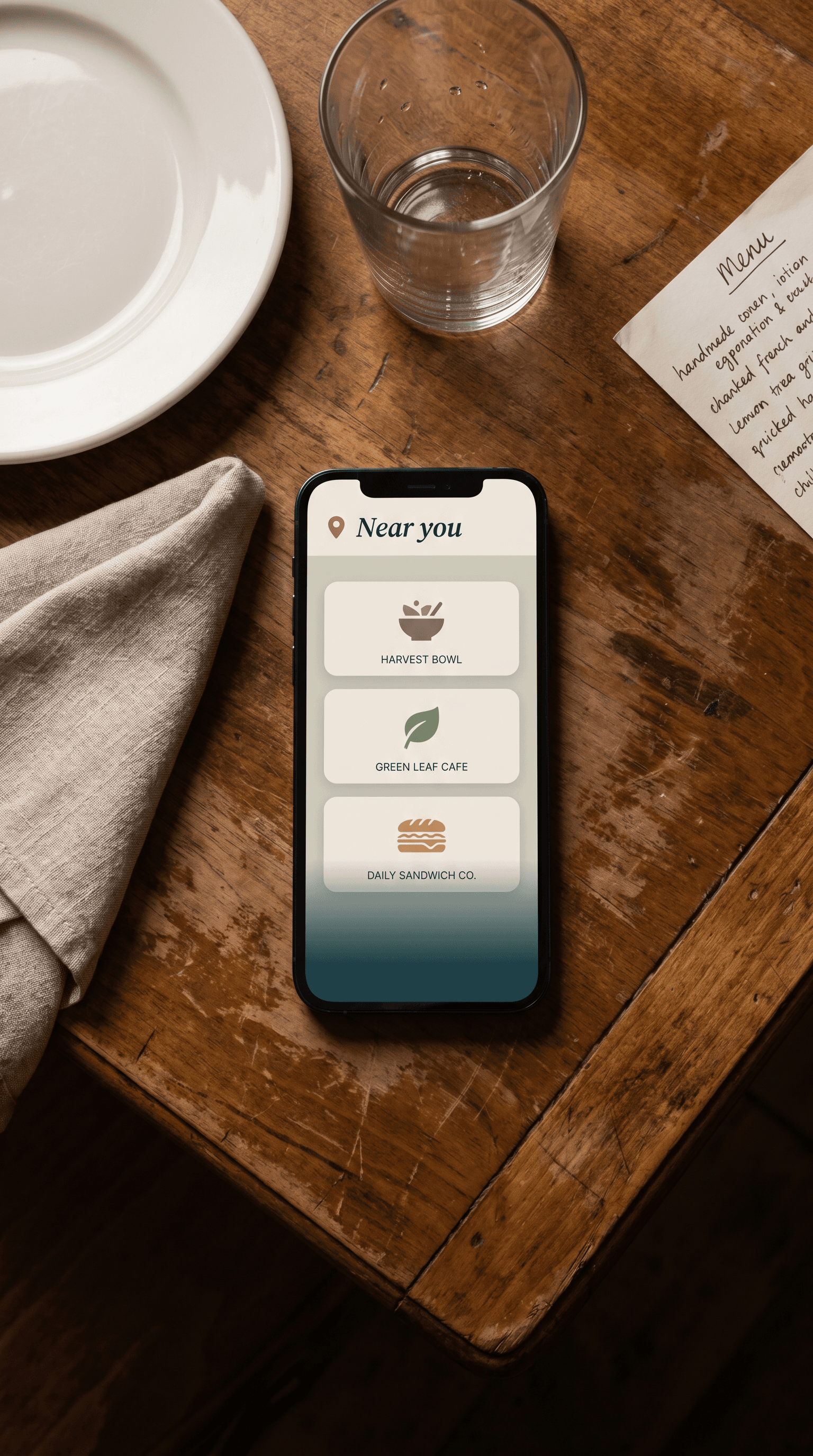
Fig. 07 — Restaurants, dialed in
Restaurants, dialed in.
Real menus where we have them. Estimates where we don't, flagged.
Tap Eating Out on the Analyze screen and Svelio asks where. A “📍 Near you” row sits at the top, populated from Google Places against the chains we carry — so when you're standing in a Chipotle, that Chipotle pin appears first. Below that, the full alphabetical catalog: every Tier A chain (Chipotle, Sweetgreen, Cava, Panera, Subway, Chick-fil-A, ~30 more) with menus pulled straight from each chain's published nutrition pages.
Tier B chains — smaller and regional — carry a visible “estimate” badge: we route the menu item through USDA for plausible per-100g macros rather than ship made-up numbers. Svelio never fakes authoritative data. If a chain doesn't publish its values and USDA doesn't have a match, the app says so and asks for a photo instead.
“Tier A: published values. Tier B: USDA estimate, flagged.”
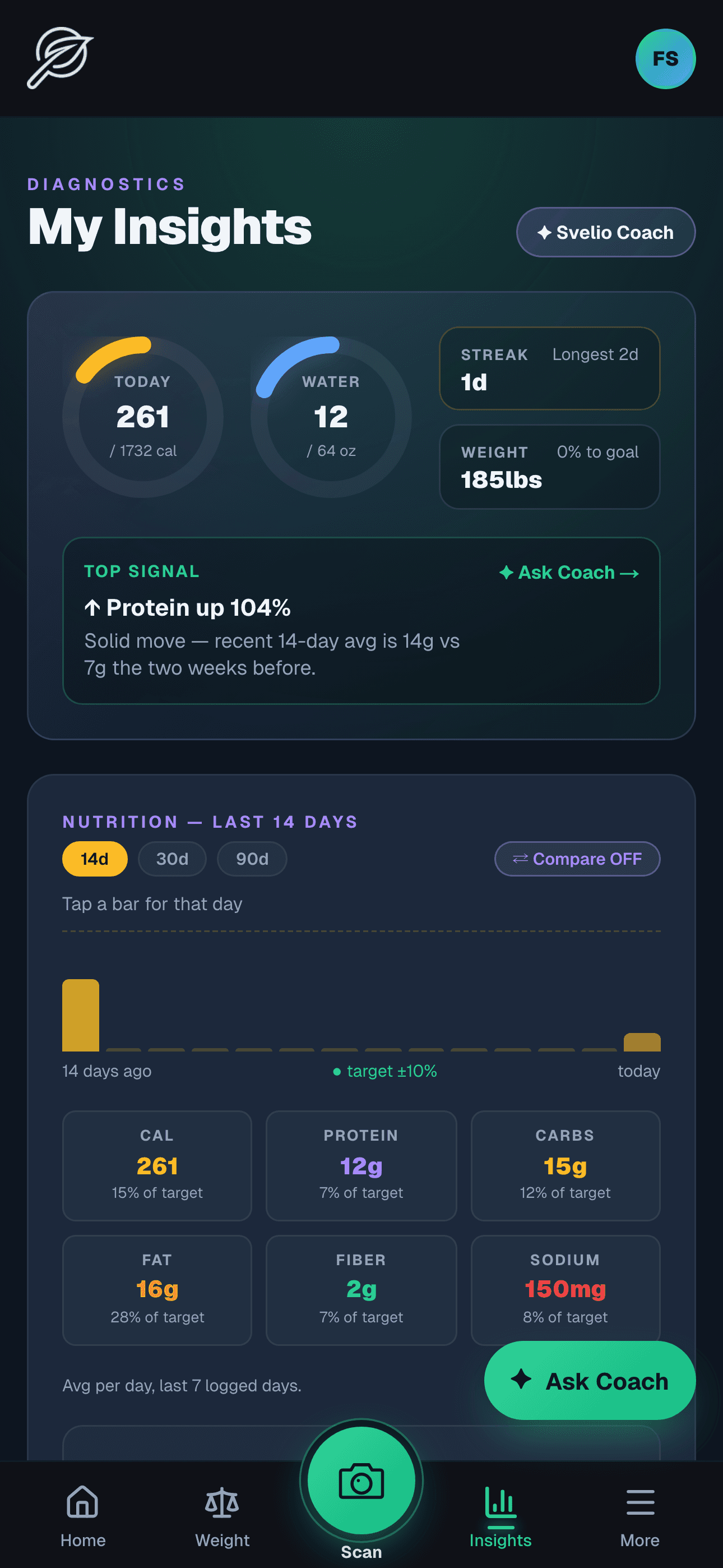
Fig. 08 — What the patterns say
What the patterns say.
Today rings, top signal, fourteen days of macro truth.
Two rings show today: calories and water against target. A streak chip + weight delta sit alongside. Below the rings, a Top Signal card auto-picks the most interesting trend in your last 14 days — protein up 104%, sodium down, hydration hit-rate slipping.
The 14-day chart shows every day's calories with a target band. Tap a bar for the per-day drill-down: nutrients consumed, meals logged, time-of-day pattern. Compare two days side-by-side.
“Auto-picked. Tap a day to drill in.”
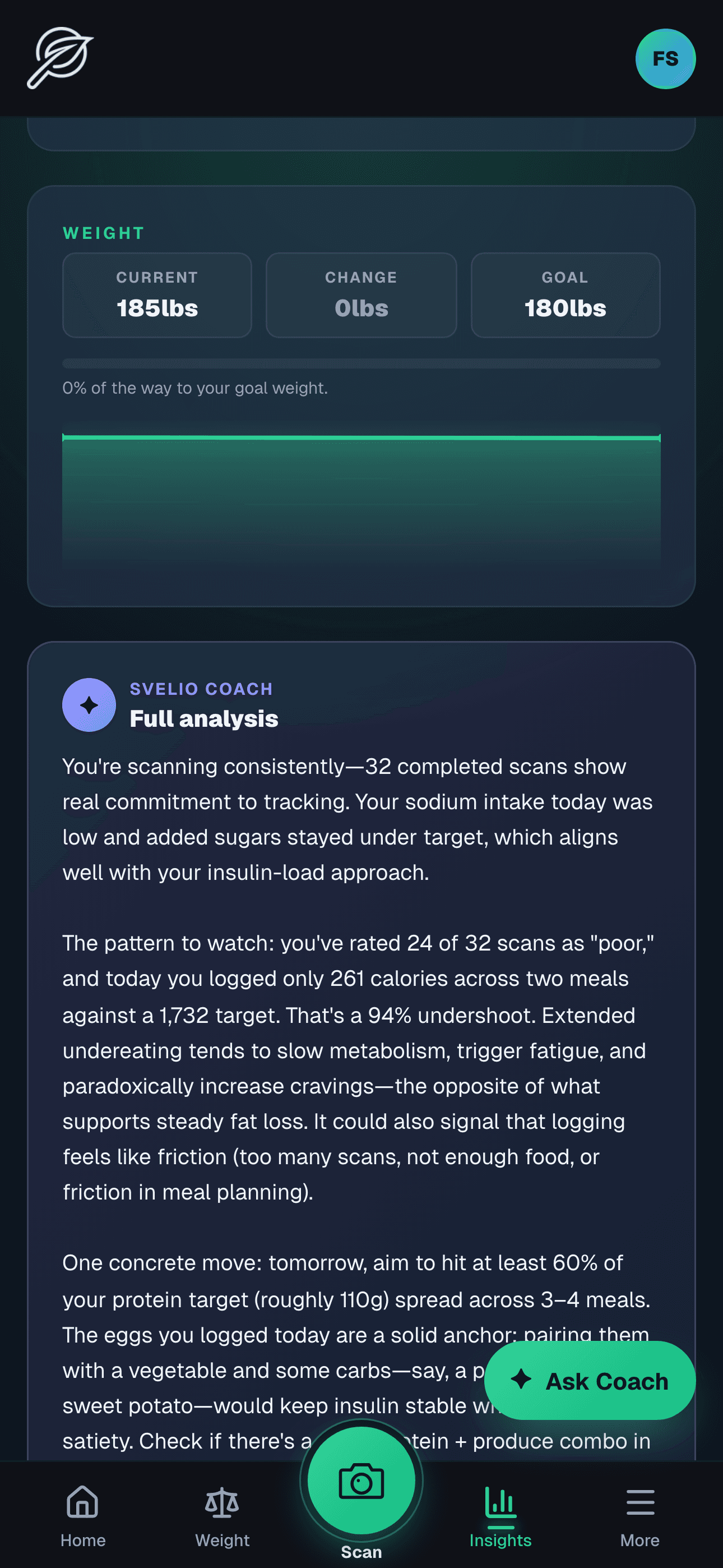
Fig. 09 — Get the diagnosis
Get the diagnosis.
Three paragraphs. Hedged language. Never a diagnosis. Grounded in YOUR data.
Tap "Generate analysis" once a day. Coach reads the trend, the streak, the macros, the water log, the weight change, and the contraindications you've declared, and writes a "what's working / what to watch / one specific nudge" paragraph.
Cached for the rest of the day. Uses your declared tone. No medical claims, never a diagnosis. The closest Coach gets to a coach.
“Cached for the day. Pro feature.”
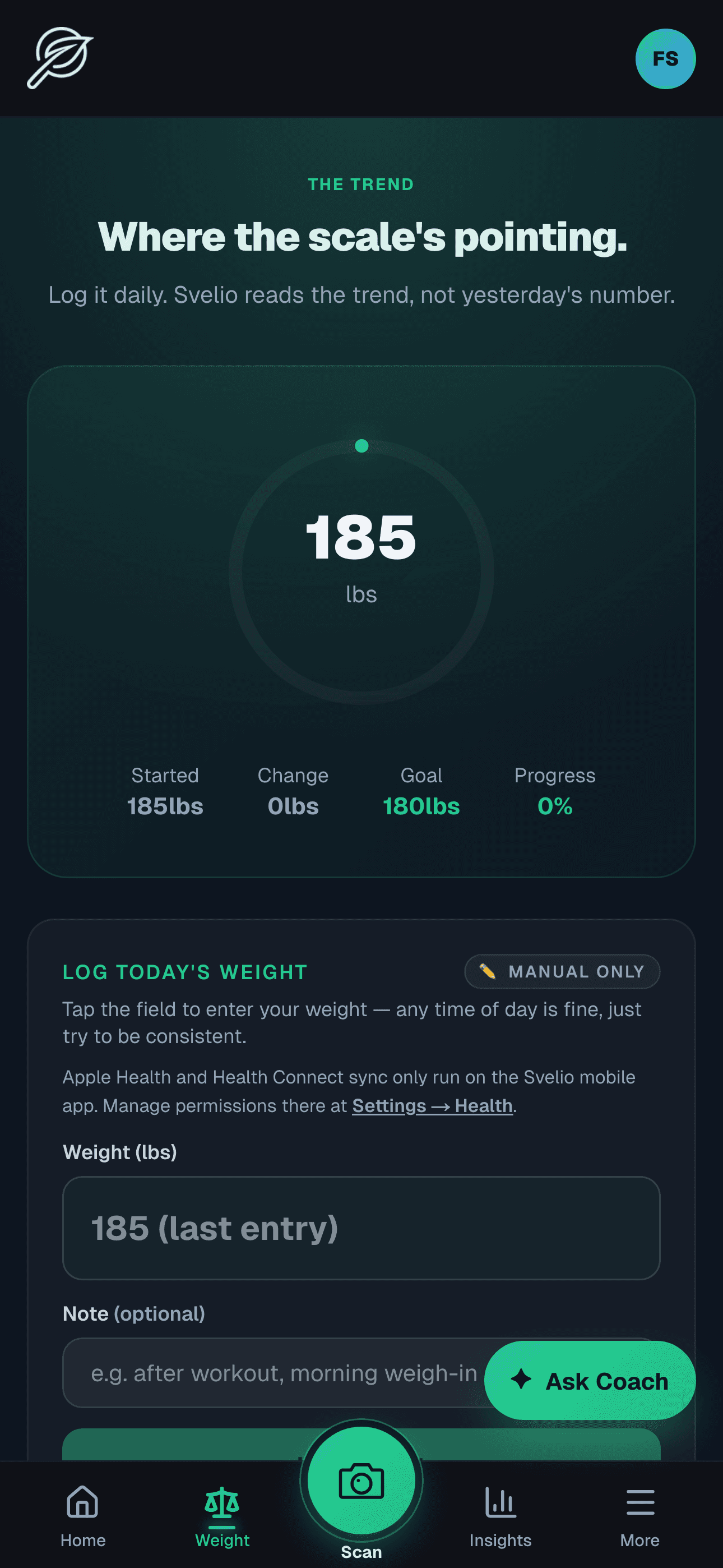
Fig. 10 — Where the scale's pointing
Where the scale's pointing.
Log it daily. Svelio reads the trend, not yesterday's number.
A single number on a ring. Log today's weight in pounds or kilograms. Watch the trend, not the noise. Apple Health and Health Connect weight sync in if you've granted access.
Connect it to a Weight Plan — current weight, target weight, timeline, activity level — and Svelio computes daily calories + macros + sodium + added-sugar limits that flow into every other screen.
“Trend over noise.”
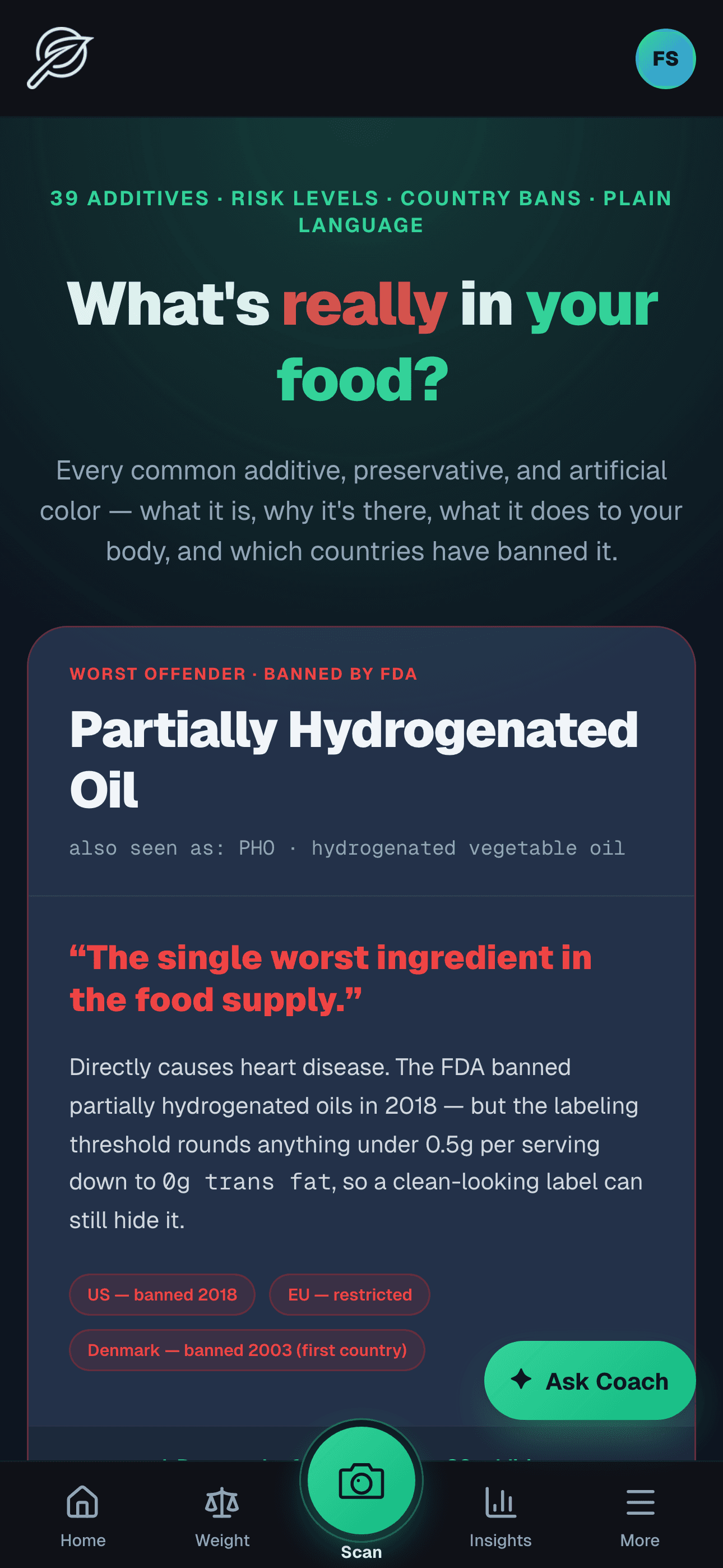
Fig. 11 — What's actually in your food
What's actually in your food.
Thirty-nine additives. Plain language. Country bans. Years.
An ingredient explorer with the additives you'll see most: TBHQ, Red 3 (FDA phaseout 2027), Titanium Dioxide (EU-banned 2022), Caramel Color 4-MEI, Mono- and Diglycerides (the trans-fat loophole), Polysorbate 80, Erythritol, BHT, Sodium Nitrite.
Each entry: what it is, why it's in your food, what the science says, where it's banned and in which year. No wellness buzz, no fearmongering — just the regulatory record.
“Banned in the EU since 2022.”
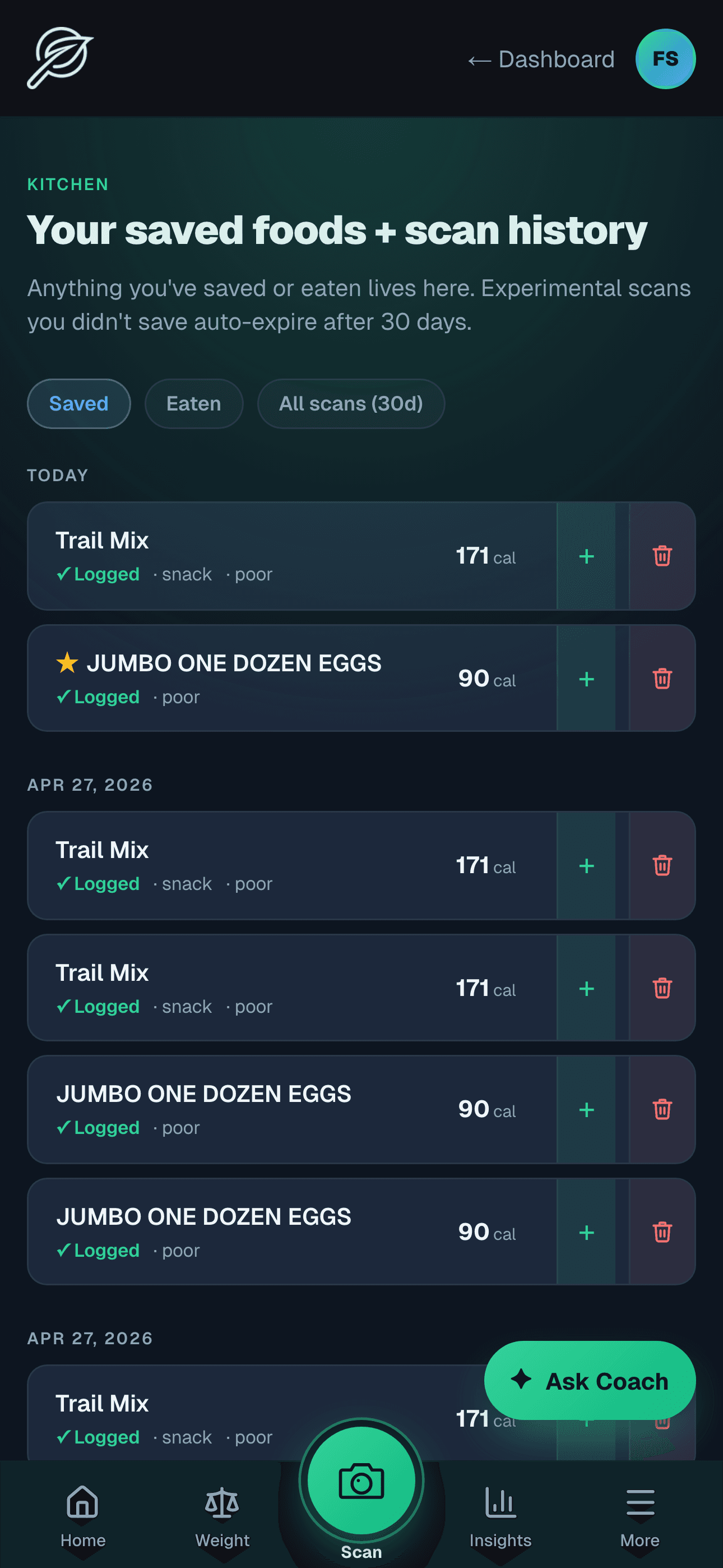
Fig. 12 — Your kitchen, indexed
Your kitchen, indexed.
Every scan. Every save. Every meal you've actually eaten.
The Kitchen tab keeps everything you've scanned, saved, or eaten. Filter by Saved (your repertoire), Eaten (today's log), or All scans (everything from the last 30 days).
Tap any item to open the full analysis. Press-and-hold a saved meal for a quick Coach read. Star your favorites — they pin to the top.
“Three filters. One memory.”

Fig. 13 — Tell Svelio about you
Tell Svelio about you.
A guided walk through your health context. Sets the lens for every scan that follows.
The Health Check-In is a multi-step walkthrough — age, sex, height, activity level, starting and goal weight (with optional Apple Health / Health Connect import), conditions, allergens, dietary preferences, medications, life stage, your typical eating window, and what gets in your way. Each step is one focused question with the rest blurred behind it, so the next thing to answer is always obvious.
The “what gets in the way” step is the one most apps skip: name your sticking points — late-night snacking, eating out, sugar cravings, hitting protein — and Coach leads with what's actually hard for you instead of generic advice. Conditions and allergens both carry an “Other” free-text option so things outside the preset list — autoimmune, sleep apnea, anxiety, citrus, sulfites, chocolate — get captured cleanly. Medications use a curated category picker rather than free-text (typos would garble Coach's reading). Update any time from Settings. The contraindication guardrails — Coach refusing certain advice for declared medical conditions, the under-21 alcohol guardrail — all read from this profile. Keeping it current is a safety feature, not paperwork.
“Conversational, not a quiz.”
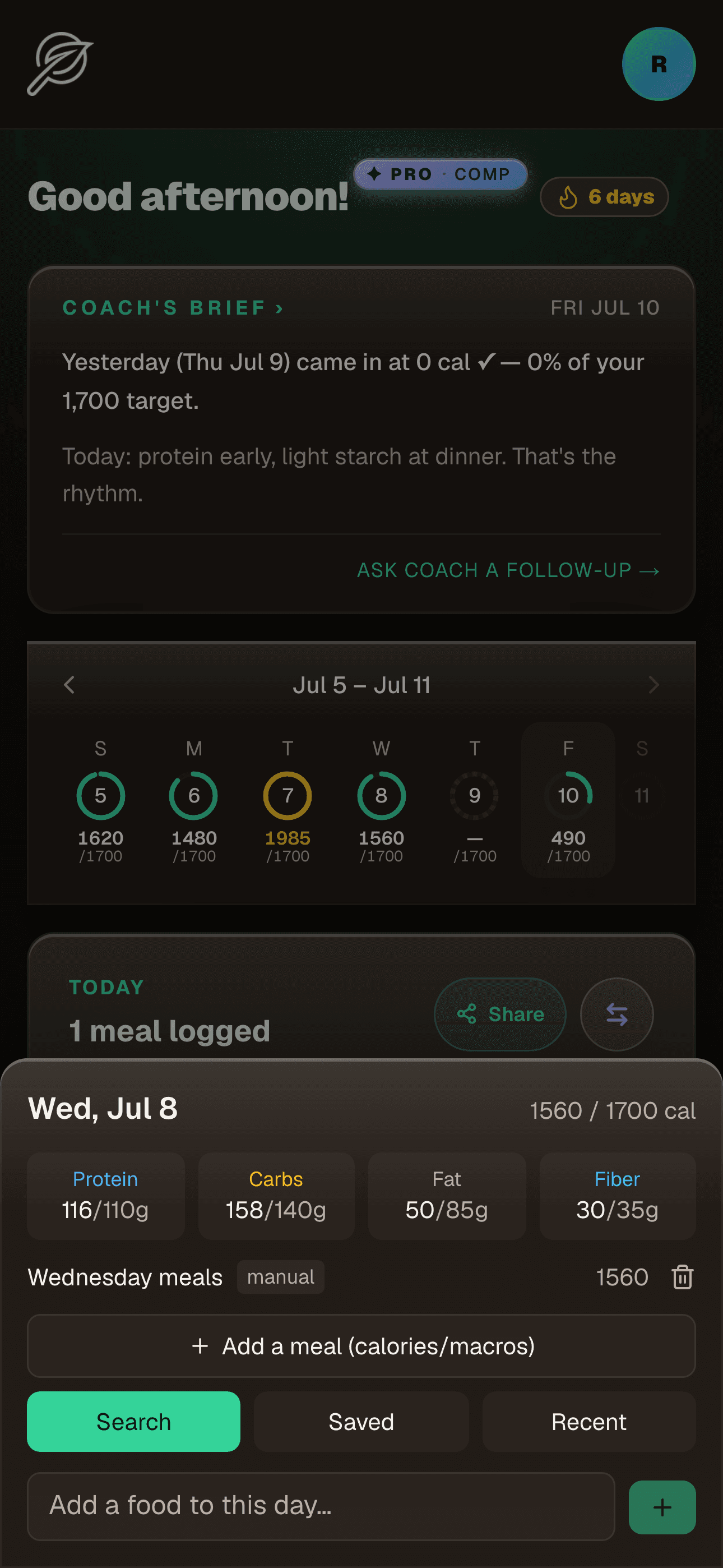
Fig. 14 — Forgot to log? Go back
Forgot to log? Go back.
Tap any day on the week strip and fill it in.
Life happens and a day slips by unlogged. The week strip beneath your Today card is the fix: seven rings, one per day, each filled against your goal — green on track, gold over, a dashed outline for a day with nothing on it yet.
Tap a past day's ring and a sheet opens on that exact date. Add a meal the normal way — search, scan, or a saved meal — or edit and remove what's already there. Every entry lands on the day you chose, so the week's math stays honest. The current week is free; Pro opens the full history back through the last ninety days.
“Tap a missed day. Fill it in. The numbers catch up.”
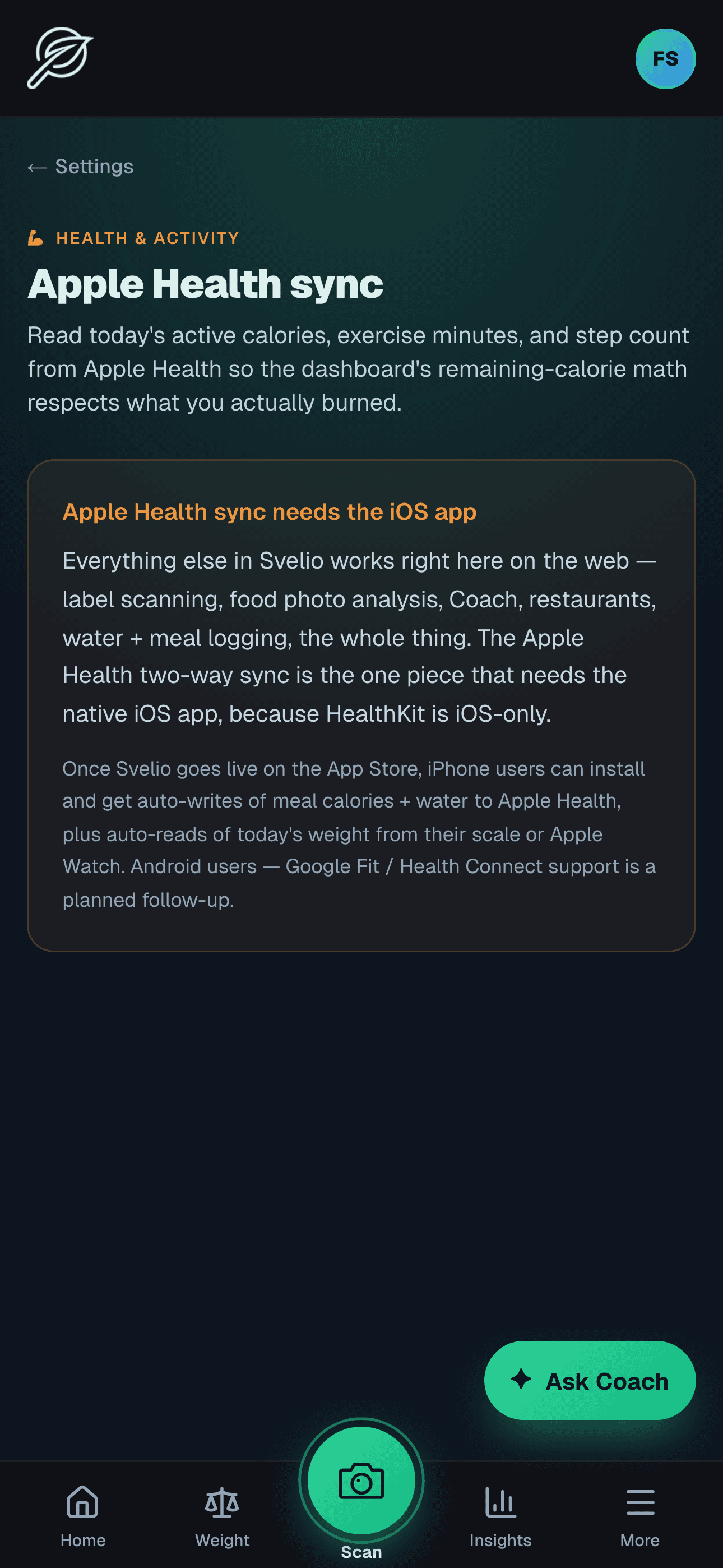
Fig. 15 — Talk to your health platform
Talk to your health platform.
Active calories, exercise, weight — flowing in and out, with permission. iOS and Android.
On iOS, Svelio reads active calories, exercise minutes, step count, and weight from HealthKit so the dashboard's remaining-calorie math respects what you actually burned. It writes your logged meals' dietary energy and water back so your nutrition lives alongside the rest of Health. Android works the same way against Health Connect — Google's equivalent integration layer.
Open Settings → Health → “Sync now” the first time you want to connect. The thirteen-category authorization sheet asks once, all-at-once, so you don't get tapped into permission fatigue. The bridge is per-Svelio-user (no cross-account leakage on a shared device) and the meal-log bridge is wired through MealSyncBridge (a headless component mounted app-wide), so any new log path you ship inherits Health sync for free.
“iOS HealthKit. Android Health Connect. Bidirectional.”
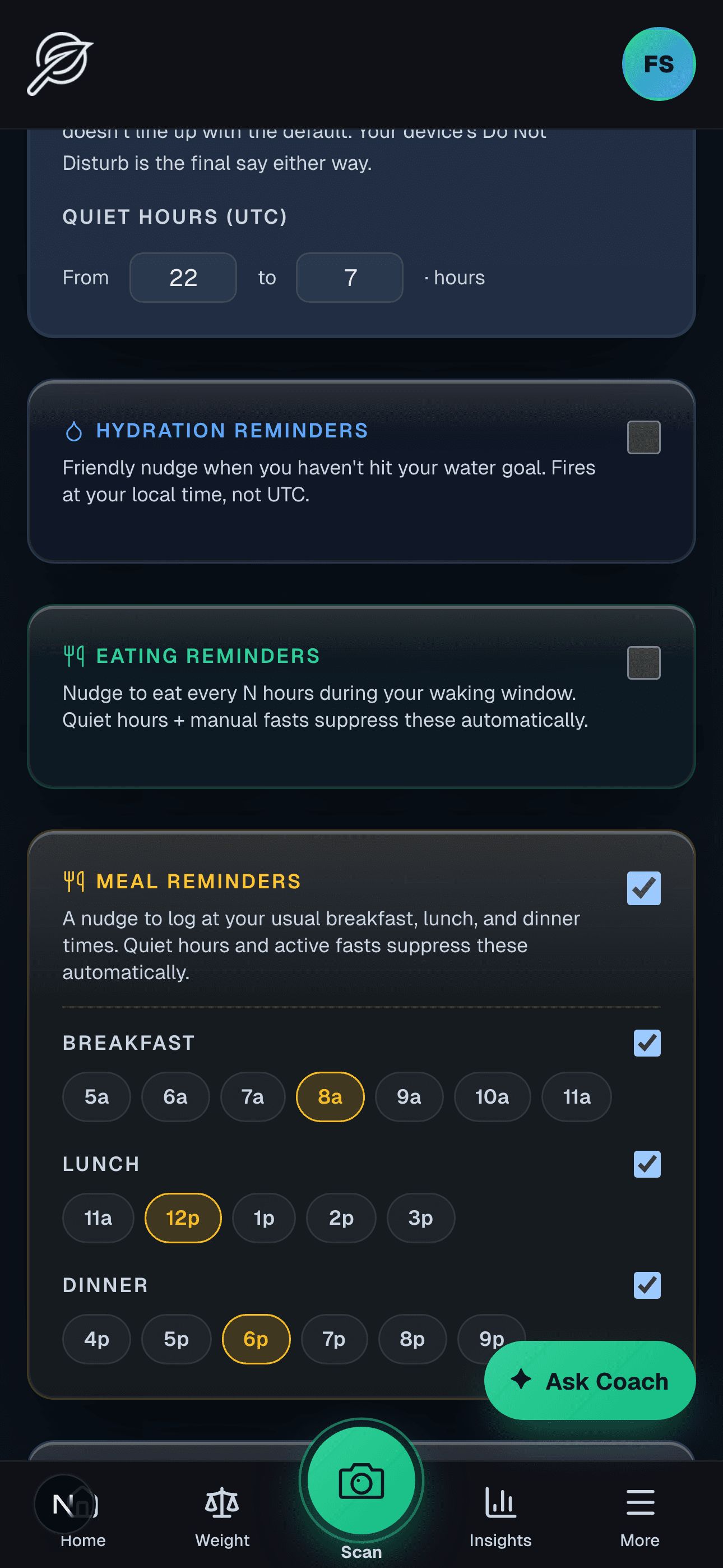
Fig. 16 — Quiet nudges, never noise
Quiet nudges, never noise.
Breakfast, lunch, dinner. Fast targets. Hydration. Every push opt-in — and tunable in Settings → Notifications.
Find them all in one place: tap your avatar, then Settings, then Notifications. Every push Svelio can send sits there as its own toggle, off until you say otherwise. Set quiet hours once and nothing fires during your declared sleep window — you decide what's worth interrupting for, and you can change any of it any time from the same screen.
Meal-time reminders are the newest: pick the hour you usually eat breakfast, lunch, and dinner and Svelio nudges you to log at each — clock-anchored to your schedule, not a generic every-few-hours buzz, and silenced automatically whenever you're mid-fast. Want a lighter touch instead? Eating reminders ping every few hours through your waking window, and hydration reminders chase your water goal at set times or on a frequency.
On the fasting side, a fast-target push lands when your IF window closes, and optional mid-fast check-ins narrate each metabolic phase — glycogen drawdown, fat-oxidation, ketosis, autophagy — as you cross it. Round it out with an end-of-day calorie summary, streak milestones (3 / 7 / 14 / 30 / 60 / 100 / 365 days), and a weekly email digest that works even without push. Native iOS and Android pushes need the Svelio app installed; the web build falls back to email.
“Default off. You decide what's worth interrupting for.”
Fig. 17 — Fast your way
Fast your way.
Pick a window. Or just start when you mean to start.
The Fasting card carries five time-restricted plans — 16:8, 18:6, 20:4, OMAD, 5:2 — plus a free-form Manual mode. Pick 16:8 and the card watches your last meal timestamp: the moment you log dinner the ring starts counting toward your 16-hour target and the live timer surfaces under the card kicker. OMAD, 18:6, 20:4 work the same way against their targets; 5:2 honors two declared low-calorie days a week with no live timer.
Manual mode is the stopwatch. Tap I'm fasting now, pick a target (24h / 36h / 48h / 72h / Open), and the ring counts from that moment. Tap End fast when you break it — that fast lands in your history with its true duration. Start again later for a second tracked fast in the same day. Manual is the mode for users whose week doesn't fit a fixed window: fast 8am to 6pm, eat dinner, then fast again 7pm to lunch tomorrow as two distinct entries. Coach reads completed fasts from history alongside the meal-log gap series, so your longest fast and consistency numbers reflect what actually happened — not just the meal-gap derivation 16:8 plans rely on.
“Five preset plans · one stopwatch mode.”